00:00: This presentation provides a user manual for the Purralytics plugin, a comprehensive tool designed to help organizations manage and track feral cat colonies. This guide will cover everything from installation and setup to utilizing the various features and functionalities, providing the knowledge to streamline your cat care and tracking processes.
00:18: This manual will guide you through every aspect of the paralytics plugin, explaining each feature and the reasoning behind it. This plugin was developed based on user feedback and we intend to continue improving it. Prolytix is a WordPress plugin that you can install by downloading it logging into your WordPress site and uploading the plugin.
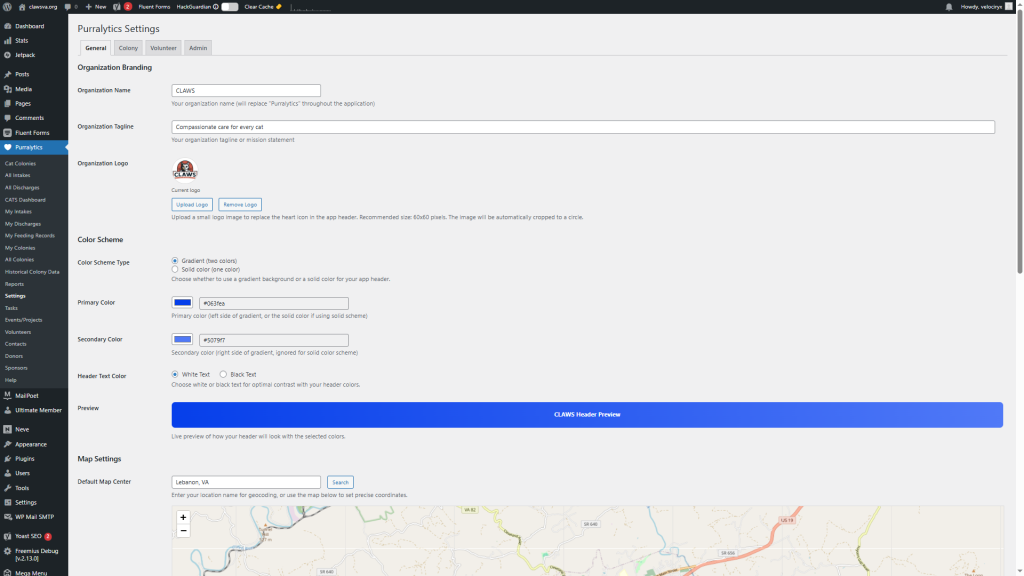
00:37: Let’s take a look at the plugin settings page.
00:39: This is where you’ll spend time customizing the plug-in to match your website. You can adjust settings within four tabs, General Colony. Volunteer and admin in the general tab, you can enter your organization’s name and tagline, upload a logo and choose a color scheme.
00:57: The Colony tab displays a map. You can Center the map on your city or town paralytics integrates with other services like zapier. You can also integrate your favorite Ai and show or hide the neonate table. Remember to save your changes before moving to the next tab.
01:13: The Colony table is all about the colony form wherever you live. It’s likely that you’ve got one or more feral cat colonies in your area. One of the best things you can do as a cat-centric non-profit, is gathered data on the existing feral cat colonies in your region. And find out who’s currently taking care of them. The help portion of the colony form, is a tool that caretakers can use to reach out to you and request specific kinds of assistance.
01:37: In the volunteer tab, you can configure the options that volunteers can pick from when defining their completed tasks. You can remove modify or add new task types as you see fit events and projects both rely on the same drop-down. So any changes you make here will impact all three the heart and soul of the volunteers table is the tasks.
01:57: On the admin tab you will find the definitions of the checkboxes used on the contacts form, the contacts form has a number of checkboxes. You can check to assign contacts. You make to different groupings or designations. Then later you can run reports that filter contacts by selected, designations.
02:15: To display the app, create a new page on your site and insert the app. Shortcode. In order to see colonies on the map and enter a new Colony, you need to be a contributor contributors, can add new colonies on the map and see their own colonies. Authors gain full access to politics and can see all of the colonies on the map, no matter who created them.
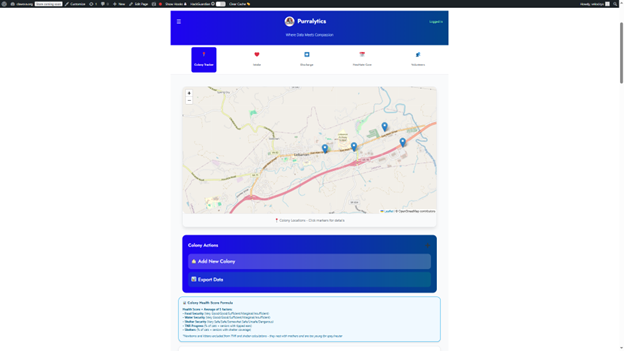
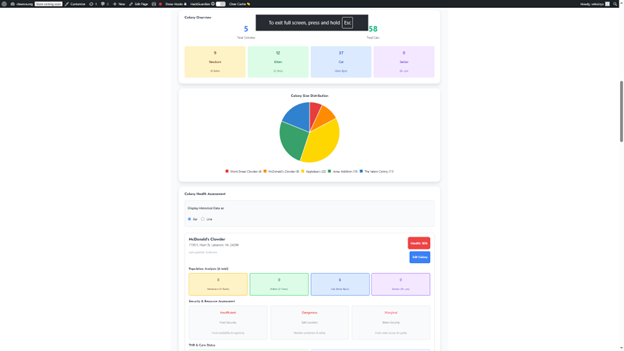
02:35: The Colony tracker tab allows you to track. How many feral cats you have in your area, who’s taking care of them and gain insights. As to the overall health of the colonies around you as the number of colonies, you’re tracking grows. You can see the relative size of each in a chart. On this page, you can add a new Colony or export data.
02:54: To peer into a colony that already exists.
02:57: Simply click on the map pin.
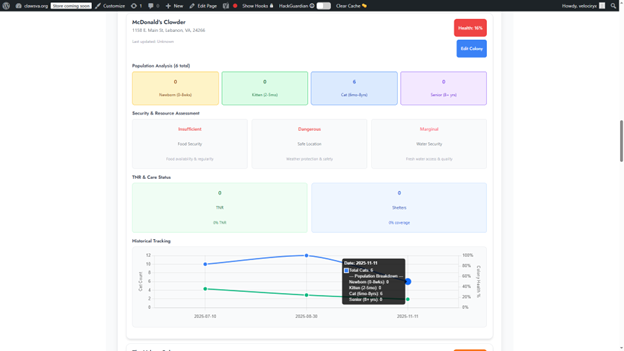
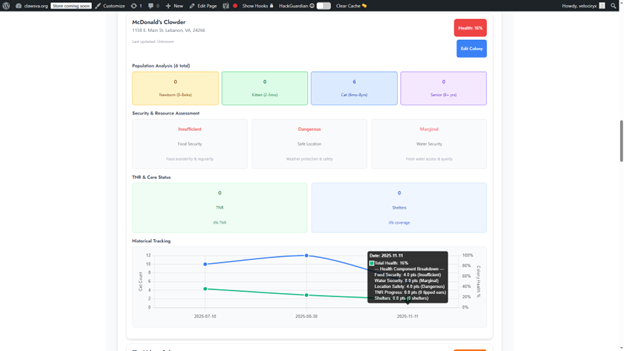
02:59: This gives you some basic information of significance. The Colony address is listed here so if you have to drive out to inspect the site, you can get the info you need without having to drill down. Also showing here is the overall Colony Health score and we should talk about that. The health score is a percentage derived by taking the average of five different metrics.
03:19: By averaging, these factors out, we can arrive at a number that allows us to track the overall health of each colony.
03:25: Even better our system allows us to track Colony health over time because let’s face it conditions can and do change. As you can see from this graph, we track both Colony size and overall health over time.
03:38: The way that historical data is gathered is at whatever interval you decide is appropriate. You survey each colony or tracking and reassess it, and get a fresh headcount, then edit the colony and updating the old data was saved as a historical entry When you entered it and the new data becomes a more recent historical data point.
03:56: To add a new Colony simply click, the add new Colony button and fill out the form.
04:02: You’ll need to provide the colony named date street address city state ZIP code and information about the number of newborns kittens, cats and seniors.
04:12: You’ll also need to provide information about the primary caregiver including their name and email address. You can also specify communication preferences and indicate whether to allow email contact, phone contact, emergency contact and public contact. Visibility, finally, you’ll need to specify the colony location by clicking on the map.
04:33: You can also upload photos of the colony and add any additional notes.
04:38: Finally you can indicate what kind of assistance is needed such as traps or other equipment, trapping, spay neuter, appointments cat food, caretaking assistance, or winter shelters, then you can save the colony.
04:53: Note that you have to both enter a nearby, physical address and manually place. The map pin for the colony location. This is because often cat colonies are near a physical address, but not actually at a physical address. Also note that this is where Colony caregivers can request. Certain kinds of assistance,
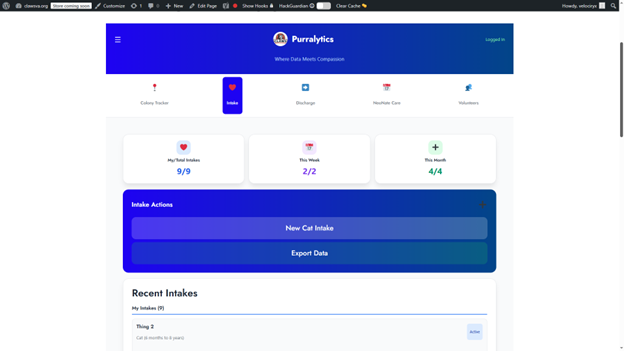
05:09: This section is pretty straightforward. This is where you go. When you take in a new cat, if you’re volunteering for an agency and you agree to Foster, you’d fill this out when you take possession of the new cat, so you can track your intakes note. That staying organized is of critical importance here.
05:25: The way our organization is set up volunteers track their own intakes. The intake table shows you a running count of how many total intakes your user account has handled, how many in the current week and how many in the current month, the new cat intake form is pretty straightforward.
05:41: Here’s the new cat intake form you’ll need to provide the date contact information address phone number and email address.
05:49: you can also indicate whether the intake is anonymous or a drop-off, and whether it’s a new contact,
05:55: The lower half of the intake form is all about the cat you’re working with.
05:59: Here, you’ll input essential details such as the cat’s name, age, and gender. You can also specify the coat type and color, providing a brief description if needed. Additionally, you can select the cat’s type from the available options. If the cat is a colony cat, you can specify the colony it belongs to. This comprehensive information helps in accurately identifying and categorizing each cat.
06:23: If you have a photo of the cat, you can upload it to enhance the record.
06:27: If you’ve integrated your AI API key, the system can analyze the coat and color providing a description. Otherwise, you can manually describe the felines appearance. Also note, the instant discharge button, which streamlines the process by saving the intake record and immediately opening the discharge form.
06:45: As an editor or admin, you have a comprehensive view of every cat input by each user. This overview is conveniently located below. Your active cats. Providing a centralized point for monitoring and managing all cat-related data within the system.
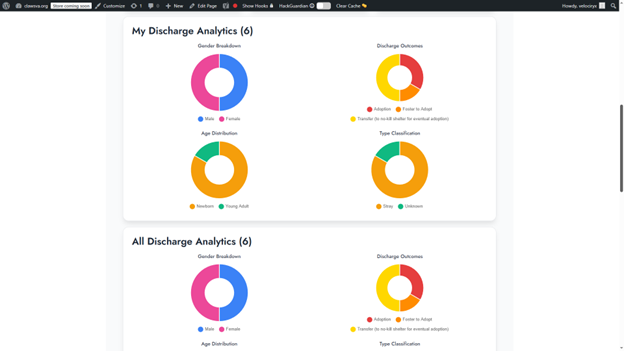
07:00: Now, let’s explore the discharge table. This section allows you to record new discharges and export data. You can view analytics on discharges, including gender and age breakdowns as well as discharge outcomes and type classifications. This provides a clear overview of the cat’s statuses
07:17: From the discharge tab, you can access a wide range of cat statistics centered on outcomes. This includes whether a cat was returned to its Colony. Escaped was adopted entered foster care or was transferred to a no-kill shelter, these analytics provide valuable insights into the success of your programs.
07:37: The primary function here is the ‘Record New Discharge’ button, which opens the discharge form. This form allows you to specify the discharge date, select the cat, and choose the outcome. There’s also a notes field for adding detailed information about the discharge.
07:52: let’s move on to the neonate care table, which focuses on bottle, baby, feeding schedules and tracking
07:58: this section includes a kitten feeding guide with age weight formula and frequency recommendations. You can also add new feeding records, inputting, the kitten’s name, date pre-feed weight Post Feed weight and any relevant notes or observations
08:14: This section is designed for tracking neonate kittens, allowing you to monitor their weight gain over time. The handy form helps ensure they’re steadily gaining weight and recording any relevant information. If you don’t work with bottle babies, this section may not be necessary for your organization.
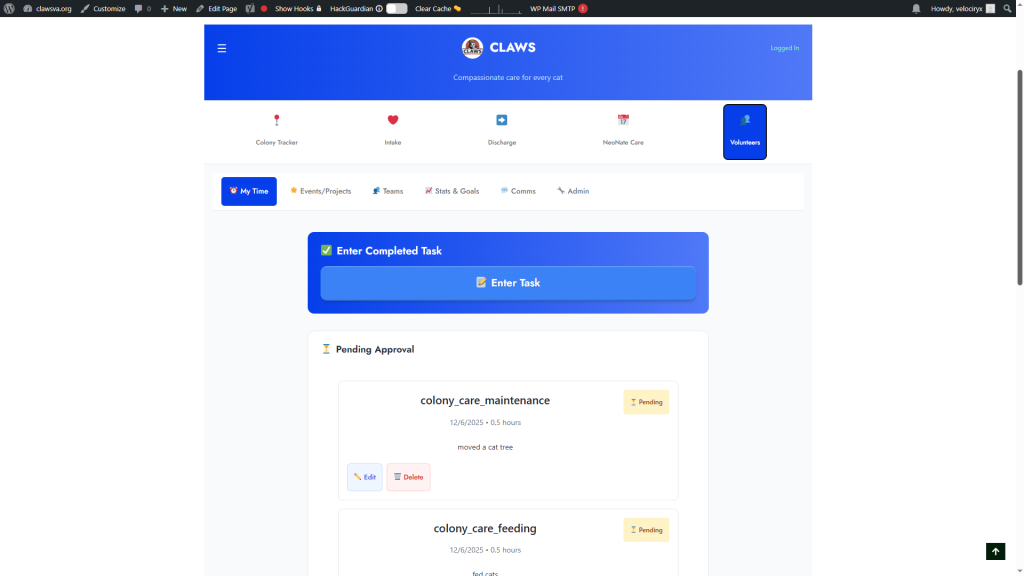
08:30: Now let’s explore the my time subtab. This is where volunteers can enter completed tasks.
08:37: The tasks are then routed to an administrator for review and approval. Admins can either approve or reject the task, ensuring that all volunteer activities are properly, documented and managed.
08:48: Tasks are Central to volunteer activities.
08:51: After completing a task volunteers, use this table to enter the details, the form is then routed to a pre-approved administrator for review.
09:00: Saving the form, sends an email to the admin, notifying them of the new item needing attention.
09:06: Here’s the enter completed task form.
09:08: Volunteers fill out all required Fields including the date. The task was completed. The type of task and a description of the work. They can also link the task to an event or project specify the time spent and select a coordinator for review and approval.
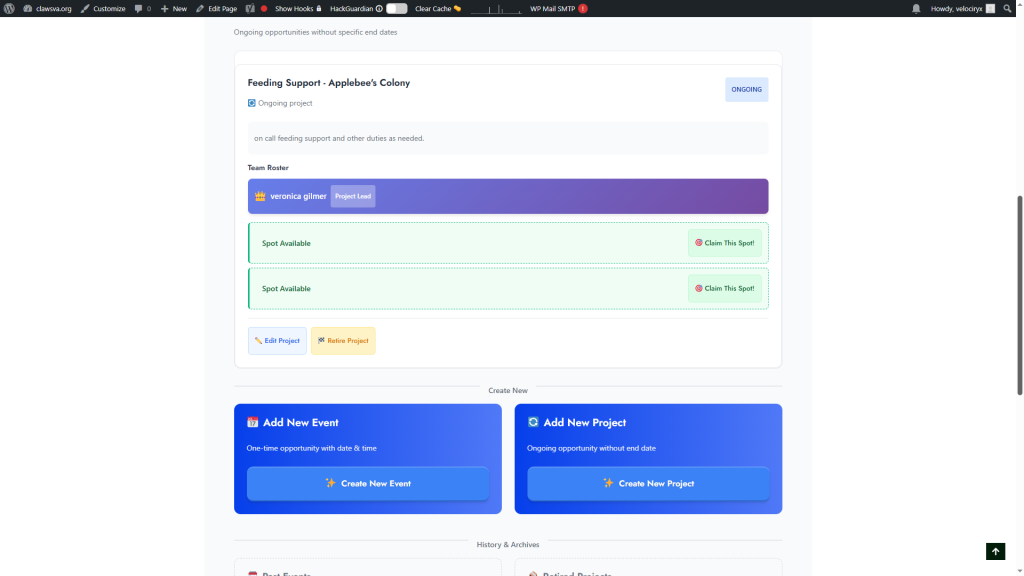
09:23: If there are existing events or projects they’ll appear in the available events and available projects queues.
09:29: These cues display volunteer spots, and registered users receive email notifications when new opportunities arise volunteers. Can then claim these spots on a first come first served basis.
09:40: The forms for creating events and projects are quite similar.
09:44: This is the create new event form, you’ll need to input event details. Such as the name category date and time. Additionally, you’ll specify a coordinator and event lead to manage and coordinate the event.
09:57: Straightforward to create an event, you’ll provide a name fill in the details, establish a team lead and set the number of volunteer spots. You can also reserve a spot for a specific volunteer, giving them the right of first refusal. This provides control over the composition of your events and projects.
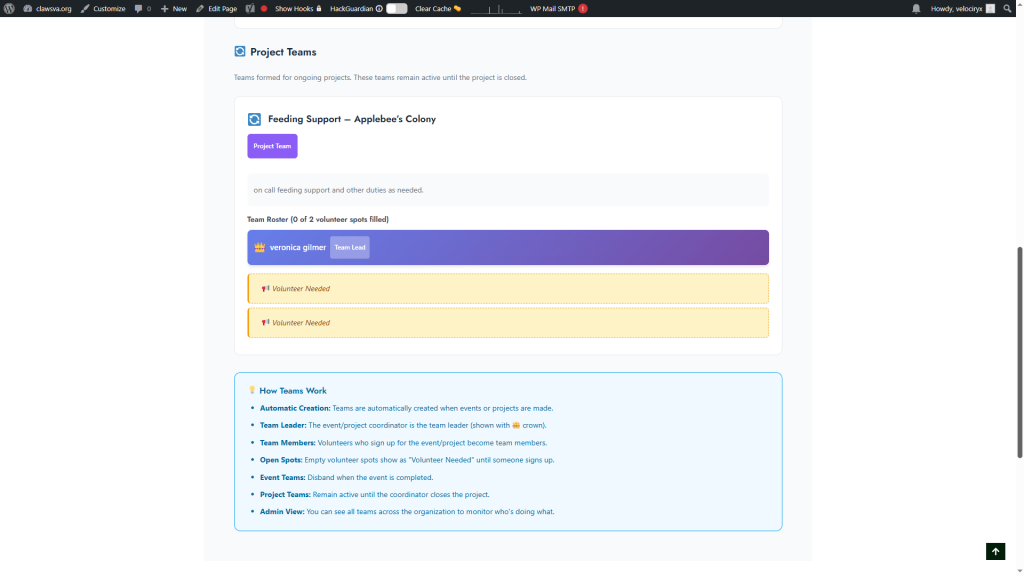
10:15: Teams originated from events and projects each with a team lead and volunteers teams last, as long as their corresponding event or project.
10:24: This screen allows admins to view all teams across the organization, providing a bird’s eye view of who’s doing what?
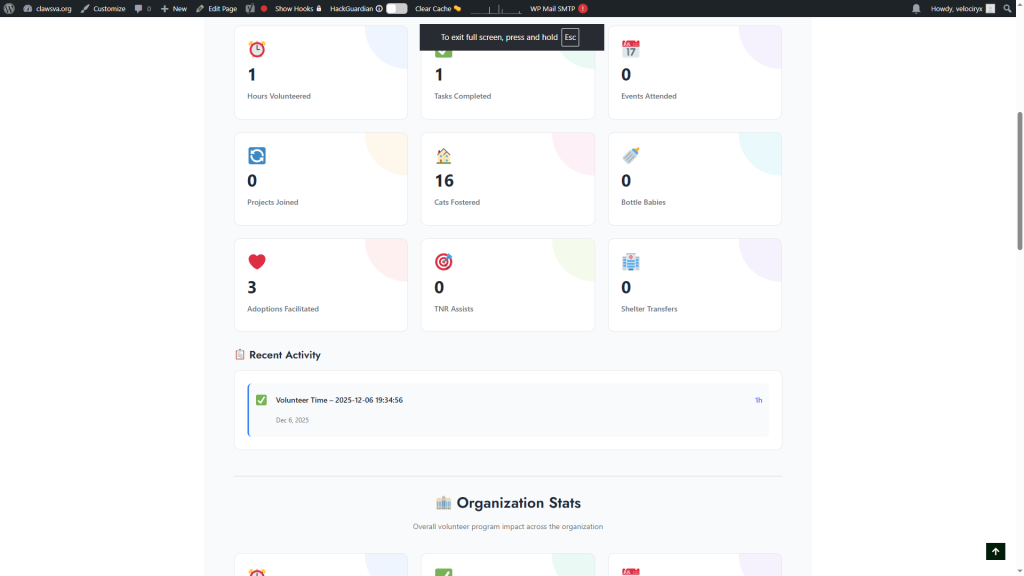
10:31: This table provides administrators with a high level overview of key. Metrics, it offers insights into volunteer impact and achievements, as well as overall organization statistics, this table is still under development. So, feel free to suggest specific data you’d like to see included.
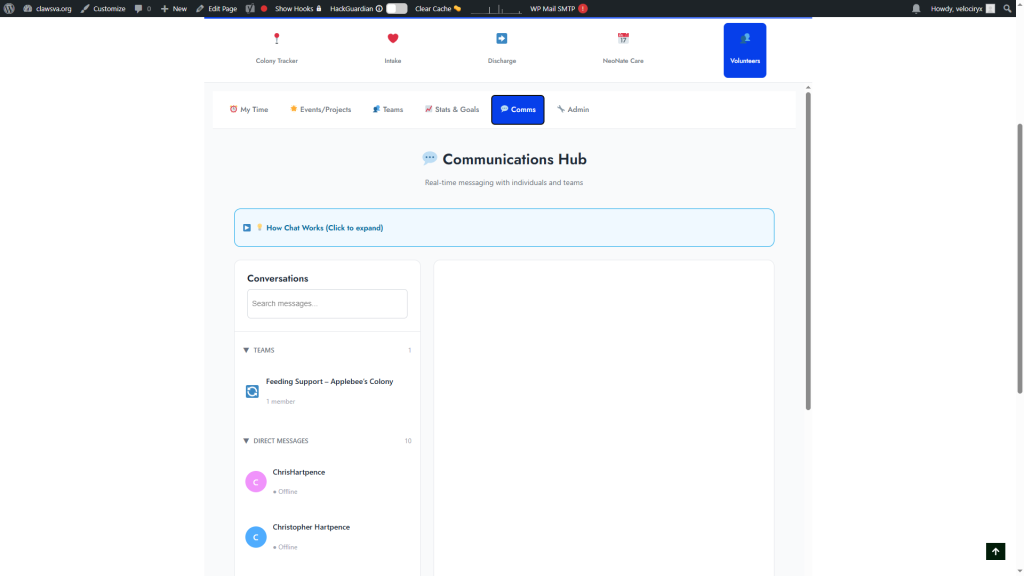
10:47: We’ve Incorporated a built-in communication system for easy. Communication with Volunteers, in the field, you can message individual users or entire teams. Making it simple to update Crews during TNR or community outreach efforts. Message chains can also be deleted to keep things organized
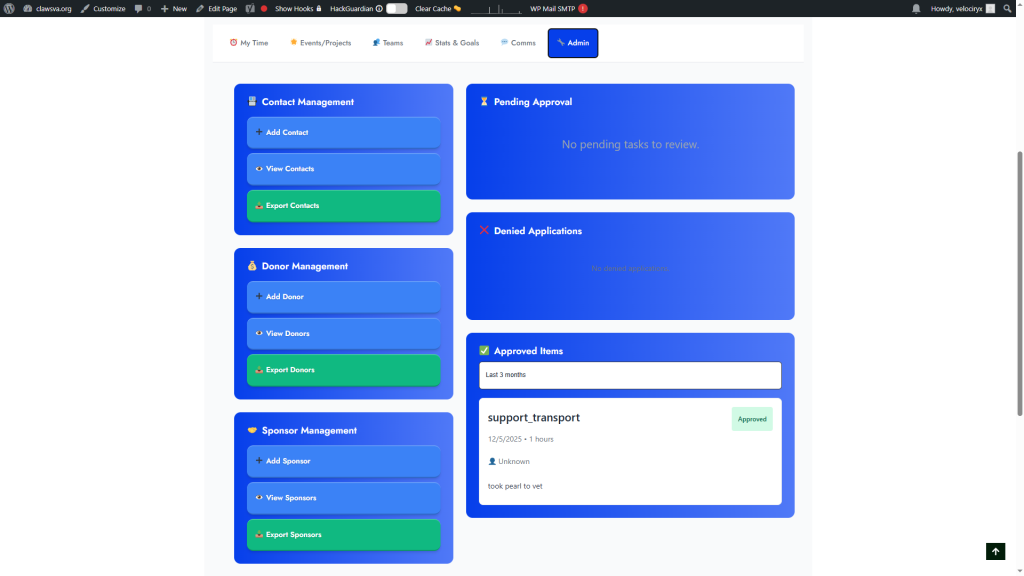
11:04: This section is exclusively for admins and editors providing a space to manage strategic resources.
11:11: The right side of the console is for task approval. While the left side is for managing contacts, donors and sponsors. This centralized panel streamlines administrative tasks.
11:21: Everyone including existing volunteers is considered a contact. This is the add contact form. You’ll input the first name. Last name, email phone number and birthday. You can also specify the contact type, add notes and assign contact attributes such as donor, sponsor, or volunteer.
11:40: All contacts have attributes defined by the checkboxes. You can add as many attributes as needed.
11:46: These attributes are used to filter contacts on the view. Contact screen, allowing you to easily create lists of experienced Fosters or unregistered individuals, checking donor or sponsor prompts you for additional information.
12:00: Paralytics began as a project to assist Jennifer in tracking, critical information for her non-profit.
12:06: Over time, we’ve Incorporated feedback and recommendations to create the best software possible. If you have suggestions, please let us know. Thank you for taking the time to read this guide.